
Yes — you can use Grok Imagine online in a browser without signing into X. Official Grok / Imagine access is usually tied to xAI’s own apps and X-linked accounts, and that path can change. If you mainly need text-to-image (or a quick image edit) in a web workspace, a third-party tool that runs the Grok Imagine model is the practical route.
What Grok Imagine is
Grok Imagine is xAI’s image model: you describe a scene in text, or start from a reference image, and it returns a generated still. People use it for concept frames, social creatives, mockups, and quick visual drafts.
That is separate from a browser workspace that hosts the model. Movby.ai, for example, is an independent aggregator — not xAI and not “official Grok.” Its Grok Imagine image page runs Grok Imagine for generation inside Movby’s account and credit system.
Official access vs browser tools
Official path: Grok Imagine through xAI / Grok products, often linked to an X account. Availability, regions, and whether you need X login can shift. Use this when you already live in that ecosystem and want first-party features as xAI ships them.
Browser / third-party workspace: You sign up on the workspace site, open a Grok Imagine tool page, prompt or upload, generate, and download. You do not need an X account for that flow. You do need to accept the workspace’s credits, usage rules, and licensing (free vs paid).
Pick official access if you want the vendor’s own product. Pick a browser workspace if your goal is simply “generate an image online without an X account.”
How to generate an image online without an X account
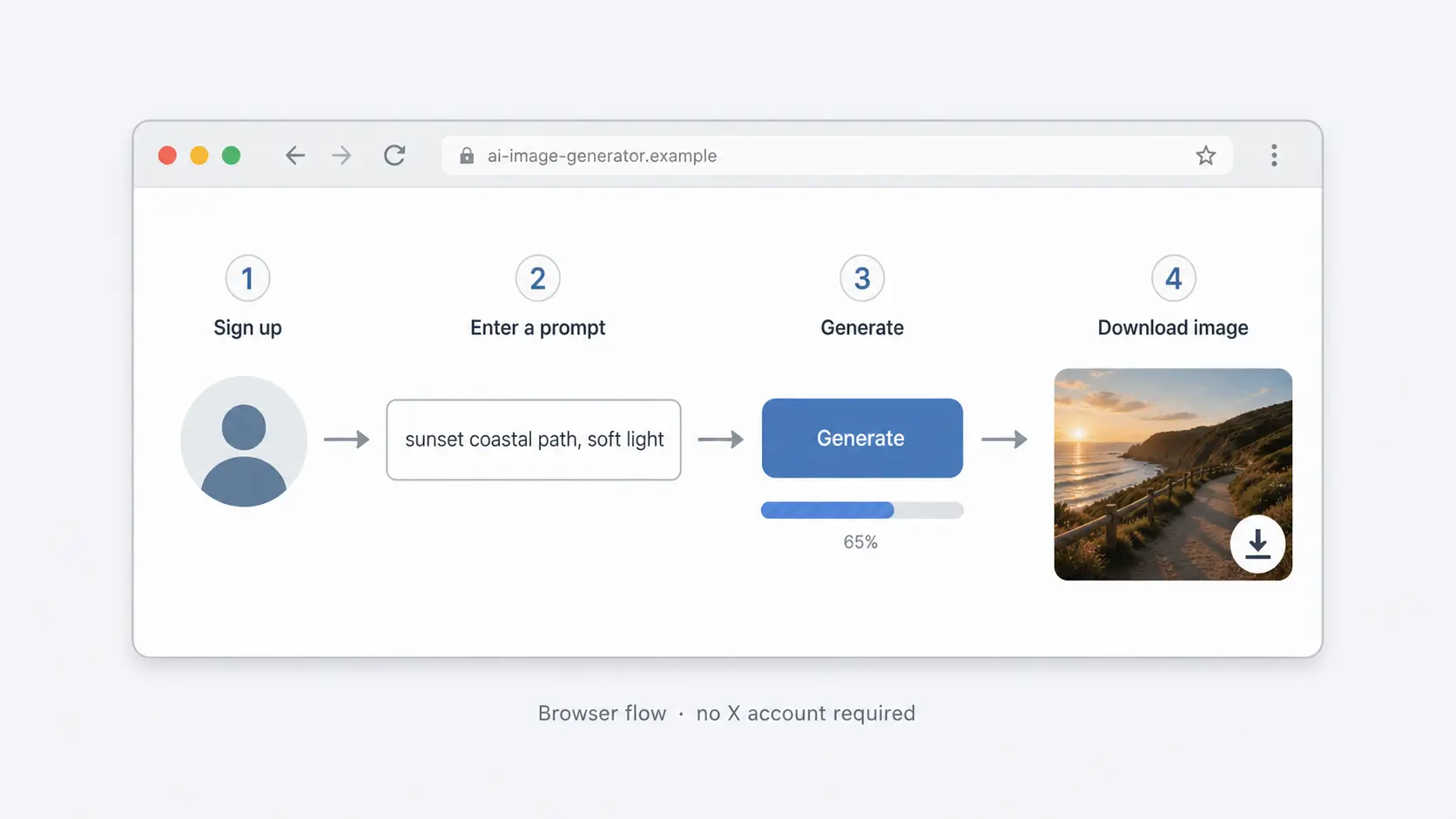
This is the usual flow on a workspace such as Movby.ai:
- Sign up at movby.ai. New users get 30 free credits; no card is required to start.
- Open the Grok Imagine image tool at /ai-image-generator/grok-imagine.
- Write a prompt (subject, setting, style, lighting) or upload a reference if you are editing / restyling.
- Generate. Typical image jobs finish in about 10–30 seconds, then download the result.
- Check the output license before you reuse it (see limits below).
If the first pass misses composition or details, tighten the prompt (camera distance, materials, text-in-image constraints) and regenerate rather than stacking vague adjectives.
Limits and things to check
Before you rely on Grok Imagine in browser for real work, check:
- Credits: Each generate spends credits. Free starter credits are finite; exact pack/plan costs can change — use pricing.
- Watermarks: Free-plan outputs may include watermarks. Paid plans / packs are watermark-free.
- Commercial use: Free-plan outputs are personal / non-commercial. Commercial use applies on eligible paid tiers — confirm on the pricing page for your plan.
- Quality variance: Same prompt can vary across runs. Treat drafts as drafts; regenerate or switch models on the image hub if you need a different look (e.g. Flux, GPT Image, Nano Banana) without leaving the workspace.
A third-party workspace makes sense when you want browser access without X, a short free trial, or one account that can also try other image (and video) models. Stick to official Grok if you specifically need xAI’s first-party product and account rules.
FAQ
Can I use Grok Imagine without an X account?
Yes, via a browser workspace that runs the Grok Imagine model. Official Grok access may still require X or an xAI account; that is a different path.
How long does image generation take?
About 10–30 seconds for a typical image job, depending on load and settings.
Are free Grok Imagine images OK for client or ad work?
Not on the free plan: outputs are personal / non-commercial and may be watermarked. Use an eligible paid tier for commercial, watermark-free use (pricing).
Do I need a credit card to try Grok Imagine online?
No. New Movby.ai users get 30 free credits with no card required.