
You can run a FLUX AI image generator online free enough to test quality — without buying a GPU or wiring Black Forest Labs API keys. This guide covers what FLUX.2 and FLUX.2 [pro] are, when browser access makes sense, and a short path to generate in a hosted AI image generator.
What is FLUX.2 and FLUX.2 [pro]?
FLUX.2 is the current image model family from Black Forest Labs (BFL). According to BFL, it targets production work: stronger photorealism and detail, better prompt following, more reliable text rendering, multi-reference editing, and output up to about 4 megapixels.
The family is split by use case, not one single “best” model:
- FLUX.2 [pro] — production-oriented balance of quality, speed, and cost; BFL positions it for high-volume generation and editing.
- FLUX.2 [flex] — more control (steps, guidance); BFL highlights typography and fine detail.
- FLUX.2 [dev] — open weights for local development and research (non-commercial by default unless you license it).
- Other variants (such as [klein] for speed or [max] for highest quality / grounding) appear in BFL’s docs as the lineup evolves.
If you only need “try FLUX.2 online” for product shots, portraits, or concept art, [pro] is usually the practical starting point.
Local GPU, BFL API, or browser: which path fits?
Three common ways to use Black Forest Labs FLUX models:
| Path | Setup | Cost shape | Control | Typical fit |
|---|---|---|---|---|
| Local (e.g. [dev] / open weights) | GPU, drivers, ComfyUI or similar | Hardware + electricity + time | Highest | Research, fine-tuning, offline pipelines |
| Official API / playground | Account + keys or BFL playground | Per-image / per-megapixel billing | High (API params) | Apps, automation, vendor-direct |
| Third-party web app | Sign up in a browser | Credits or subscription | Medium (UI presets) | Quick tests, comparing models |
Running larger FLUX.2 checkpoints locally usually means a capable GPU and a working inference stack. That is fine if you already have the hardware. If you do not — or you only want a few images — a hosted FLUX.2 online session avoids install time and VRAM planning.
Tradeoffs in plain terms: local gives you ownership of the stack; the API gives you vendor-direct pricing and params; a browser aggregator trades some control for “pick a model, paste a prompt, download.” Movby.ai is an independent aggregator (not BFL). It hosts FLUX / FLUX.2 among other image models so you can try FLUX without an API key of your own.
How to try FLUX.2 online (browser, no GPU)
These steps use Movby.ai as a concrete hosted path. Exact labels may shift slightly in the UI; credit costs can change, so confirm in the generator before you burn a large batch.
- Create an account at Movby.ai. New users get starter credits (currently about 30 on signup). That is enough for several FLUX.2 [pro] runs, not unlimited free FLUX.2 Pro.
- Open the text to image tool (or the broader AI image generator and choose text-to-image).
- Select FLUX.2 [pro] from the model list. If you need heavier typography control later, switch to FLUX.2 [flex] and check its credit cost first.
- Write a specific prompt (subject, lighting, lens/style — see tips below). Set aspect ratio / resolution if the UI exposes them.
- Generate. On Movby, images often finish in roughly 10–30 seconds depending on model and settings.
- Download the result. If you need more volume or commercial terms, check pricing rather than assuming free-tier limits stay fixed.
On Movby, FLUX.2 [pro] typically costs on the order of 5–7 credits by resolution; FLUX.2 [flex] costs more. Treat those as approximate and verify live before planning a campaign.
Prompt tips that help FLUX.2
FLUX.2 follows structured, concrete prompts better than vague mood boards. Prefer nouns, materials, light direction, and camera language over adjective stacks.
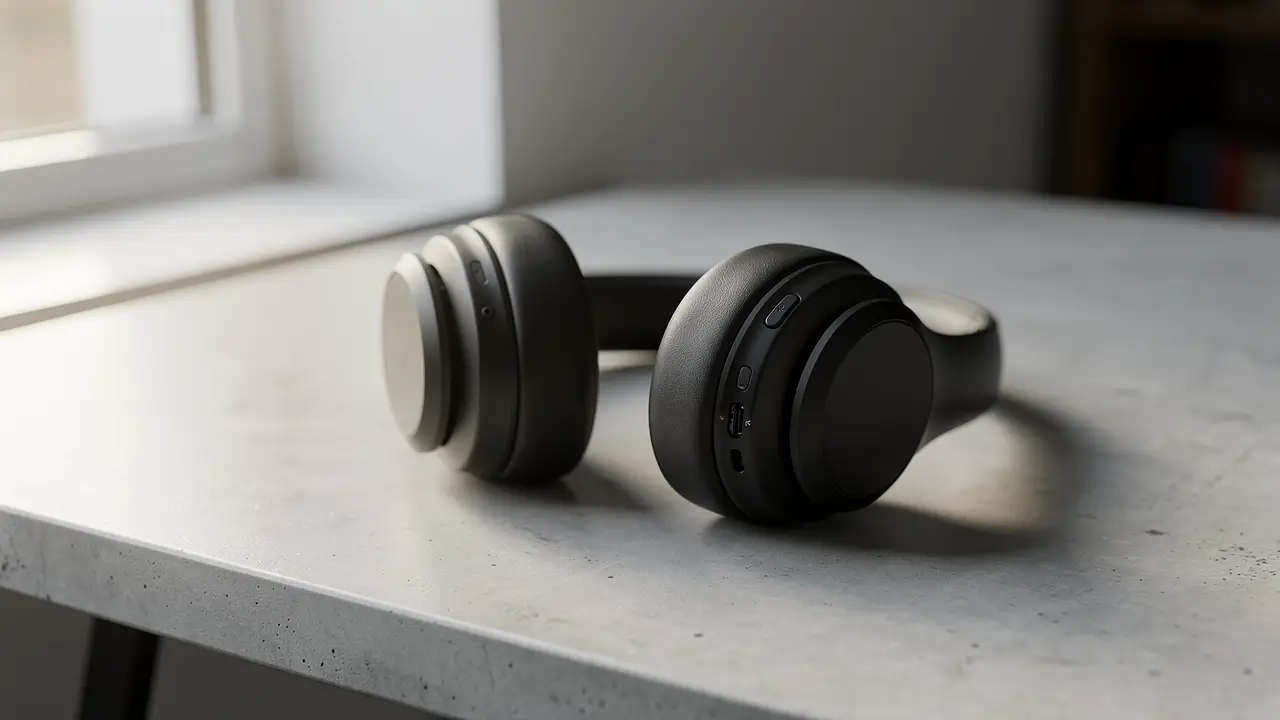
1. Product on a desk
Matte black wireless headphones on a concrete desk by a window, soft morning side light, shallow depth of field, 85mm look, natural color, clean background, no logos
2. Portrait with lighting control
Half-body portrait of a woman in a wool coat, overcast daylight, soft catchlights, 50mm, muted palette, sharp eyes, shallow DOF, no text
3. Interior with spatial constraints
Small kitchen, oak cabinets, white marble counter, afternoon light from the left, wide angle 24mm, photoreal, no people, no watermark text
4. Style lock without “masterpiece” filler
Editorial fashion photo, film grain, Kodak Portra-like color, three-quarter pose against a gray seamless backdrop, softbox key light
5. Text in image (use carefully)
BFL reports stronger typography in FLUX.2, especially [flex]. Still keep on-image copy short and quote it exactly:
Minimal poster, white background, bold black sans-serif title reading "OPEN STUDIO", thin subtitle "Sat 10–6", generous margins
If text fails, shorten the string, raise resolution if available, or try [flex] instead of [pro].
When to pick FLUX.2 [pro] vs other models
Stay on one platform and swap models on the same prompt when you are unsure.
- FLUX.2 [pro] — default for photoreal products, portraits, and general production stills.
- FLUX.2 [flex] — posters, UI mockups, or any brief where legible type matters more than credit cost.
- Nano Banana — useful when you want Google’s image stack for edits or a second opinion on the same idea.
- GPT Image / ChatGPT Image — often stronger when dense readable text or layout copy is the main requirement; compare rather than assume.
For most “try FLUX without GPU” sessions, start with [pro], then A/B one alternate model if the first pass misses the brief.
FAQ
Is FLUX free?
Open-weight FLUX.2 [dev] (and some [klein] releases) can be free to run locally under BFL’s license terms, but you still pay for hardware. Hosted FLUX.2 [pro] is metered. On Movby, signup credits let you test FLUX.2 online; they are not an unlimited free FLUX.2 Pro plan.
Do I need an API key to try FLUX.2?
Not if you use a browser playground or a third-party web app. You need BFL (or partner) API credentials only when you call the API yourself. Movby’s generator does not require you to bring your own BFL key.
Can I use FLUX outputs commercially?
Depends on where you generate. BFL’s own API and licenses have their terms. On Movby, paid plans are built for commercial use; confirm watermark and free-tier rules on the live pricing page before client work.
What is the difference between FLUX.1 and FLUX.2?
FLUX.1 is the earlier family (including Kontext variants still used for editing workflows). FLUX.2 is BFL’s newer generation with higher resolution targets, multi-reference editing, and improved text and photorealism according to their announcement. Prefer FLUX.2 when you are starting fresh unless a specific FLUX.1 / Kontext workflow already fits your pipeline.
Open the text-to-image tool, select FLUX.2 [pro], and run one tightly written prompt before you change models or buy credits.